Website Password List
Keep administrative access information for your websites and blogs conveniently in one place using this password list template - by Alex BejanishviliIf you want to keep your website safe, it is important to have complex passwords for securing the FTP, Hosting, Database and Website Admin Panel access. However complex passwords are extremely inconvenient to manage, especially when you own multiple websites. This is even more difficult if you are a website developer managing multiple websites for your multiple clients. Hence, most of us try to have an easy to remember passwords that are either repetitive or based on family member's name and birthdays. Unfortunately, predictable passwords are absolutely insecure. Spreadsheet123 has created Website Password list template to help you organize your website passwords so you can create more complex password and secure your websites.
Website Password List
for Excel 2007 & Google Sheets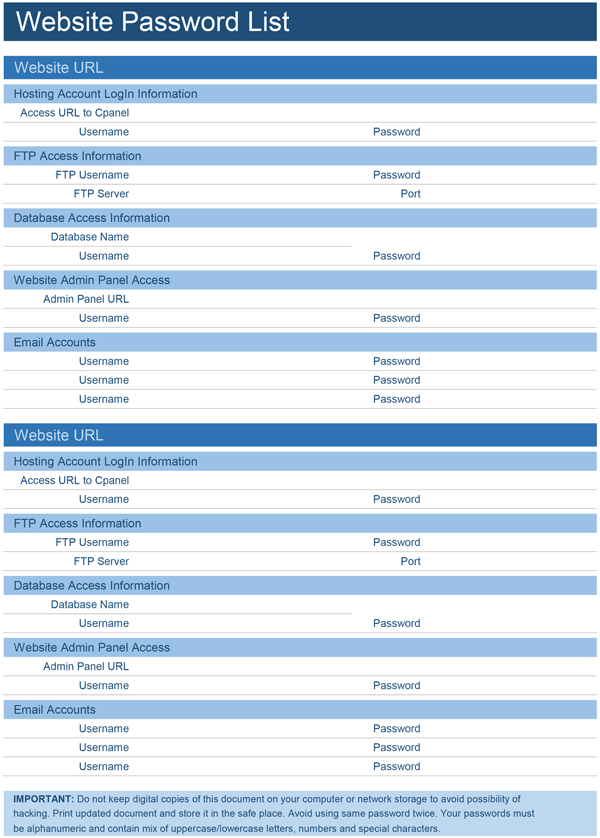
How to use Website Password List Template
Website password list is divided into multiple sections named after the websites you manage. Within each website section you can record following:
- Hosting Account Login Information
- FTP Access Information
- Database Access Information
- Website Admin Panel Access
- Email Accounts List
This template helps you in recording the most important details of two websites, if required you can copy all the rows in one section and duplicate for more websites you have.
We recommend you to keep the printed copy of this list securely. If required you can keep digital copies of this document and to avoid the possibility of hacking you should protect the excel file with a password too. With this password protected sheet, you just need to remember one password, across all website you manage.
Also if you are not near your laptop or computer then you can keep a copy of this password protected excel file on your Dropbox. If you need an access to your passwords from an iPad or iPhone, this arrangement is still secure.
Password is considered strong when it contains a mix of lowercase/uppercase characters, random numbers and special symbols. Avoid using same password twice.