Christmas Advent Calendar Template
Interactive 24-day and 25-day holiday countdown calendars for Excel & Google SheetsPage Content
Store-bought advent calendars rarely fit every household. Chocolate calendars are gone in five seconds, toy sets clutter the living room, and pre-filled boxes leave little room for personal family traditions. A digital advent calendar solves that problem by turning your holiday countdown into a shared daily experience tailored to your own home.
These free Christmas Advent Calendar spreadsheets give you an interactive, date-driven countdown for Microsoft Excel and Google Sheets. Instead of static boxes, each door stays locked until its calendar date arrives in December, automatically revealing the day's surprise, activity, or hiding spot clue. Because the master list also tracks the estimated cost of every treat or gift, these templates pair naturally with our Christmas Budget Template to keep your festive spending predictable from December 1st onward.
How the Interactive Countdown Works
Both workbooks are built around two connected tabs: the visual calendar grid and a separate Advent Items worksheet. On the calendar tab, a live counter at the top tracks how many doors have opened so far out of 24 or 25. Every door displays a locked status along with the exact date it will open. Once the system date reaches that day in December, standard IF and VLOOKUP formulas unlock the tile, mark it as opened, and pull the title and description straight from your master list.
Because the workbook relies entirely on standard spreadsheet formulas without macros or scripts, it works seamlessly across Windows, macOS, and Google Sheets, and automatically updates for the current calendar year every time you open it.
24-Day Christmas Advent Calendar
for Excel 2007 & Google Sheets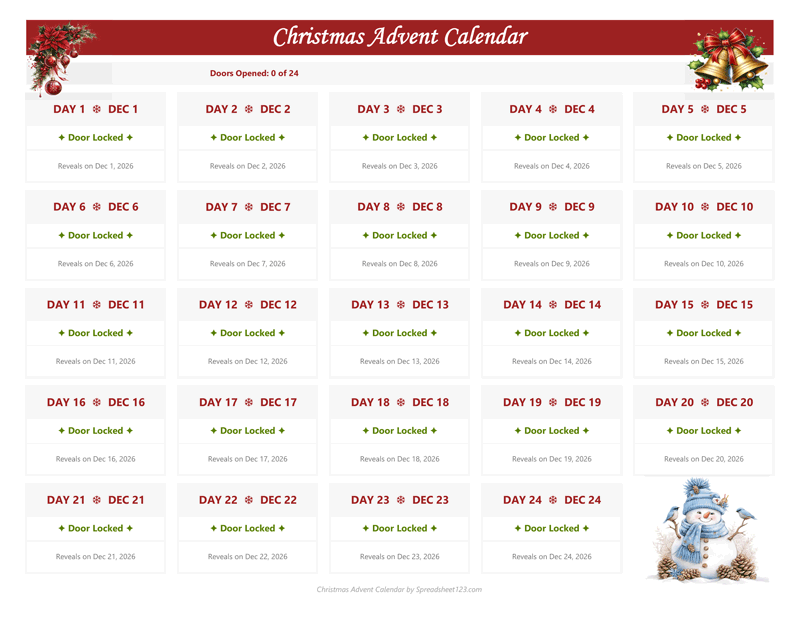
Designed around the classic European and traditional December countdown, the 24-Day Advent Calendar runs from December 1 through Christmas Eve. Arranged in a clean five-column grid, this version builds steady anticipation throughout the month and culminates on December 24 with a special Christmas Eve tradition, such as opening matching holiday pajamas or reading a festive story together before bed. It is the ideal choice if your family already has its own Christmas morning routine and wants the calendar to wrap up on Christmas Eve.
25-Day Christmas Advent Calendar (Grand Reveal)
for Excel 2007 & Google Sheets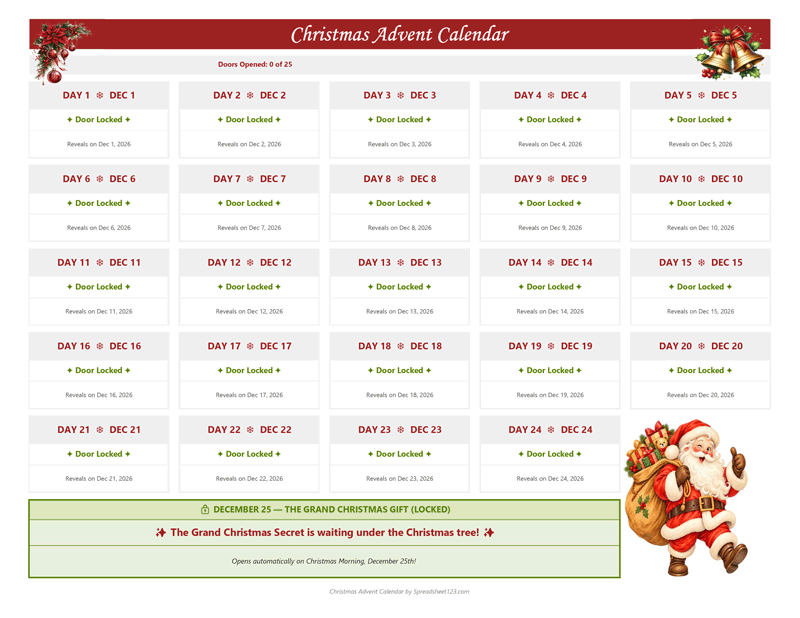
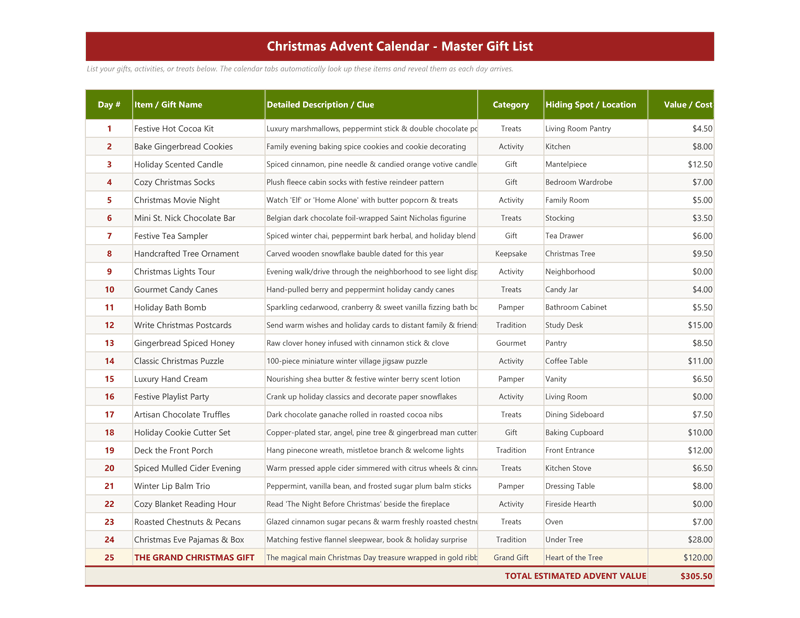
If your countdown goes all the way to Christmas morning, the 25-Day Advent Calendar adds a full-width feature banner across the bottom of the grid dedicated to December 25. While the first 24 doors unlock daily treats, family activities, and small keepsakes, the 25th door remains sealed with a festive teaser until Christmas Day arrives. When unlocked on December 25, the banner reveals both the description of your main Christmas surprise and its exact hiding location—making it ideal for a scavenger-hunt clue or a centerpiece gift waiting under the tree.
Customizing Your Advent Items & Previewing Dates
Editing the master gift and activity list
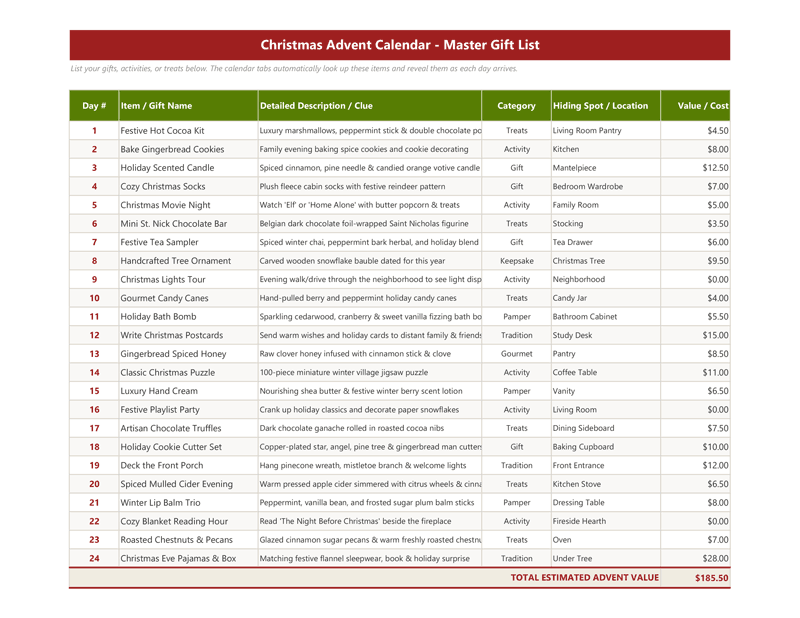
Open the Advent Items tab to personalize your countdown. Both files come pre-loaded with 25 ready-to-use ideas ranging from zero-cost family nights—like a neighborhood Christmas lights walk or a holiday movie evening—to small treats, pampering items, and keepsakes. Simply type over any row to enter your own item name, clue, category, and hiding spot. Keep the day numbers in column A intact so the calendar grid looks up the right entry for each date.
Keeping your advent spending on track
Column F on the Advent Items tab lets you record an estimated value or cost for each day, with an automatic SUM total at the bottom of the table. Planning all 24 or 25 days up front prevents last-minute impulse spending, and you can carry that single total directly into your Christmas Budget worksheet so every stocking stuffer and activity is accounted for.
Testing the calendar before December
By default, the workbook checks your computer's clock using Excel's TODAY() function via a named range called Date. If you want to preview how unlocked doors look before December arrives—or use the calendar for an early family gathering—open the Name Manager in Excel (or Named Ranges in Google Sheets) and temporarily change the Date reference to a December date such as =DATE(2026,12,15). Just remember to set it back to =TODAY() before sharing the sheet with your family.
Hiding the master list from curious eyes
If kids or family members will be opening the doors on a shared laptop or tablet, right-click the Advent Items tab at the bottom of the screen and select Hide. The calendar doors will continue pulling each day's surprise automatically without giving away upcoming clues.
Frequently Asked Questions
What is the difference between the 24-day and 25-day Advent Calendar templates?
The 24-Day Advent Calendar counts down from December 1 through Christmas Eve (December 24) in a five-column grid. The 25-Day Advent Calendar adds a full-width banner across the bottom that unlocks on Christmas morning (December 25) to reveal your main gift description and its hiding spot.
Do these Advent Calendar spreadsheets work in Google Sheets as well as Excel?
Yes. Both templates use standard IF, VLOOKUP, and DATE formulas with no VBA macros, so they work in both Microsoft Excel ('.xlsx', 2007 and newer) and Google Sheets.
Can I reuse the same file next Christmas?
Yes. Because the dates dynamically calculate from YEAR(TODAY()), you can simply update your entries on the Advent Items tab and reuse the calendar every December.